On the Paris Charles de Gaulle airport, I encountered this internet kiosk:
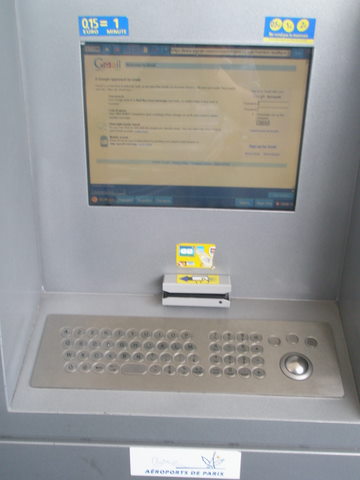
Nothing unusual? That’s what I thought, too. Until I took a closer look at the keyboard:
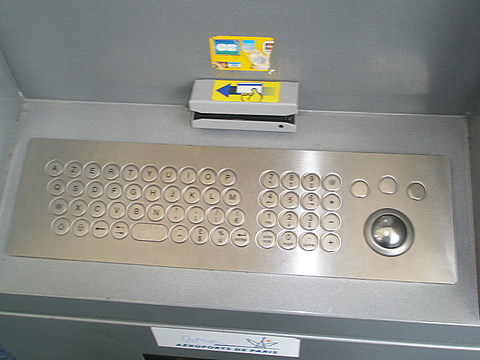
The first thing you’ll notice is the unusual keyboard layout, at least for us QWERTY people – presumably this is how they like their keyboards in France. But a worse thing is that the keyboard does not have a whole bunch of “useless” keys, such as say underscore (_). As it turns out, my email password contains an underscore.
So how do I sign into my email? I tried to find the underscore character on the web (Google: underscore), and copy-and-paste it into the password box. To make it more interesting, the keyboard does not have a CTRL key, so no CTRL+C. Also, no other conventional way of using the clipboard seems to work. Eventually, after I nearly gave up, I discovered that the kiosk app has clipboard features on the toolbar above the browser window, and I finally managed to type in my password.
Time to type my password: 6 minutes.
Tags: Misc

 Feed
Feed
 Twitter
 Subscribe by email
6 minutes is a small price to pay to save the republic.
Hello from France,
The photo shows a special keyboard that I had never seen before !
It may be a special one for tourists…
In France, keyboards contains the same keys as the other languages, but at another places… like most of the rest of the world !
Cheers
Hello Loïc,
Thanks for your perspective from across the ocean!
You are right: normal French keyboards are very similar to US keyboards, except that the letter layout is AZERTY instead of QWERTY.
So, not all French keyboards are strange, just this particular one.
Igor